
Kishan P
August 20, 2026
Modern websites demand more. The architecture that you choose shapes everything from how fast your pages load to how well you rank on Google.
WordPress still dominates. Even in 2026, it remains the backbone for businesses building websites at scale. But the real choice is sharper now. Traditional vs Headless WordPress represent two very different ways of shaping digital experiences. Traditional CMS thrives on simplicity. Its unified system, plugin ecosystem, and straightforward content management make it the familiar option for teams that value ease and speed of setup. Headless CMS is rewriting the rules. It decouples the front end from the back end, giving developers greater control over design and development.
Thinking–which path should you take? The answer isn’t universal-it depends on your project needs and growth ambitions. This article cuts through the noise. You’ll see how each approach works by comparing their strengths and weaknesses. By the end, you’ll know which architecture fits your business.
What is Traditional WordPress?
Traditional WordPress runs monolithically. Its frontend and backend move together, forming a single, unified system. This makes publishing feel seamless. Themes shape design and layout, while plugins add features like SEO tools and payment gateways.
Flexibility is built in. Traditional WordPress theme development lets teams edit and update website designs without touching a single line of code. This lowers complexity. Also, it reduces upfront costs and simplifies development, making it accessible for businesses of all sizes.
Growth doesn’t break it. As needs evolve, traditional WordPress plugin development makes adding new functionality straightforward without rebuilding the site.
Best For:
- Business websites.
- Blogs.
- Corporate websites.
- WooCommerce stores.
- Small and medium businesses.
Any professional WordPress website development company would recommend this route if you’re looking to build an easy-to-manage website.
What is Headless WordPress?
Headless CMS separates the backend from the frontend architecture. This breaks the pattern. There’s no reliance on themes to render pages or control layouts. Instead, content flows differently. It’s delivered through REST APIs or GraphQL into modern frameworks like React or Next.js.
Their flexibility expands dramatically. With Headless WordPress development, you can create fast, highly customized websites while using the same backend to deliver content across digital platforms. In this setup, the frontend works independently. This gives development teams greater control over the user interface, performance optimization and how content is presented across different channels.
Best For:
- SaaS.
- Enterprise.
- High-traffic websites.
- Multi-platform applications.
- Complex integrations.
Businesses choose Headless with intent. They often seek custom WordPress development services that align tightly with their goals.
Key Differences Between Headless WordPress and Traditional WordPress

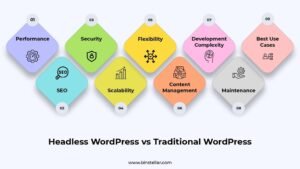
The differences are decisive. From SEO and performance to WordPress scalability and maintenance, each framework brings its own strengths. This table makes it clear. It will guide you toward choosing the right one that supports your long-term business growth.
| Factor | Traditional WordPress | Headless WordPress |
|---|---|---|
| Performance | Good performance, especially when the theme, plugins, hosting and assets are well optimized. | Can deliver strong performance with an optimized frontend, but results depend on implementation, hosting and code quality. |
| SEO | Strong SEO support through built-in plugins. | Strong SEO potential, but developers need to implement and maintain key SEO elements manually. |
| Security | Security depends on hosting, plugins, themes, updates and overall configuration. | Can reduce exposure of some frontend components, but security still depends on architecture, APIs, hosting and maintenance. |
| Scalability | Suitable for most websites and can support significant growth with appropriate hosting and optimization. | Can support complex, large-scale experiences, but scalability still depends on infrastructure and implementation. |
| Flexibility | Flexible within the capabilities of themes, plugins and custom development. | Highly flexible frontend development. |
| Content Management | Simple and beginner-friendly. | More technical and requires additional setup. |
| Development Complexity | Lower complexity and faster deployment. | Higher complexity with greater customization. |
| Maintenance | Easier to maintain with fewer moving parts. | Requires ongoing developer support. |
| Best Use Cases | Blogs, business websites, and WooCommerce stores. | SaaS platforms, enterprise websites, and multi-platform applications. |
The difference is fundamental. It comes down to simplicity versus control, two paths with very different outcomes.
Traditional WordPress keeps it unified. Content management, design, and functionality live inside one platform, making launch and maintenance faster. While headless takes a different route. By separating frontend from backend, it unlocks sharper performance and greater scalability. The trade‑off is clear. It demands more technical expertise and ongoing development support. So, analyze what your business needs first. Then, choose the one that matches your project’s complexity, roadmap, and available resources.
Performance, SEO & Scalability: Which Performs Better?
Not every website is built to handle rapid growth or increasing traffic. That’s where you need to analyze the architecture’s crucial factors. Performance, SEO, and scalability often determine whether a traditional or a headless setup is the smarter investment.
Website Performance
Loading speed can influence Core Web Vitals, user experience and conversion rates. That’s where you need Headless WordPress. It can support a highly optimized frontend because the presentation layer is developed separately from the content management system. However, headless does not guarantee faster performance. Actual speed depends on frontend architecture, code quality, hosting, image optimization, caching, and third-party resources.
Traditional WordPress can perform well too. Their lightweight theme, optimized assets, effective caching, and carefully selected plugins can deliver a fast and responsive experience.
SEO Comparison
SEO hinges on precision. Metadata, structured data, page speed, mobile readiness, and indexing all shape visibility.
Traditional WordPress makes it simple. Its mature plugins handle most of the heavy lifting, from sitemaps and tags to optimizations. But headless WordPress demands more effort. It does not automatically improve Google rankings or AI/LLM visibility. Its main advantage is greater technical and frontend control. Search and AI visibility still depend on factors such as content quality, crawlability, and overall implementation.
Scalability & Future Growth
Growth changes the equation. As traffic rises, enterprises need to manage content across websites, apps, and digital touchpoints from one source.
Headless WordPress can be a strong option. It’s because of its decoupled architecture that allows teams to build and manage frontend experiences separately from the content backend. Moreover, traditional WordPress can still expand. With stronger hosting and careful plugin management, it supports meaningful growth for many businesses.
But the difference is in how each architecture handles complexity. Headless can make multi-channel content delivery and highly customized frontend experiences more manageable. Meanwhile, traditional WordPress may require additional optimization and infrastructure planning as requirements grow.
Read Also: Why Global Businesses Choose WordPress for Scalable Website Development
Which Option Is Best for Your Business?
The choice is never absolute. It rests on your project roadmap, business objectives, and the digital future you envision. That’s where you need to compare. Weigh each option carefully, then select the architecture that aligns best with your long‑term plans.
Choose Traditional WordPress if:
- You run a small business, local business, or corporate website.
- You need a blog or WooCommerce store that is easy to manage.
- Your team prefers non-technical content management.
- You need a quick, business-ready website.
- You want to minimize development and maintenance costs.
Choose Headless WordPress if:
- You operate a SaaS platform or an enterprise website.
- Your website handles high traffic or serves multiple regions and languages.
- You are building with frameworks such as React or Next.js.
- Your project requires complex integrations or multi-platform content delivery.
- You prioritize performance, scalability, and design flexibility.
Overall, custom WordPress websites aren’t generic. They’re built to mirror your goals, but the right setup depends on deeper choices.
Conclusion
Both architectures have merit. Traditional WordPress leans on simplicity, speed, and ease of management for quick deployment. Headless WordPress shifts the focus. It delivers greater frontend control, flexibility and multi-platform content delivery for complex digital experiences.
So, choose wisely. Pick the right architecture based on your goals, content strategy, budget and available resources. Think beyond today. Evaluate not only current needs but also how your website must evolve to support the future you’re building.
Still unsure which WordPress architecture fits your business? Then, get expert guidance from a leading WordPress development company in India like Binstellar. We deliver WordPress development services in India with strategy at the core. Our process begins by assessing performance goals, content needs, scalability plans, budget, and technical requirements-ensuring the architecture chosen truly supports your digital vision. Contact us today! Our team builds the right foundation for your current needs while keeping future growth in mind.
FAQs
Is Headless WordPress suitable for WooCommerce websites?
Yes. Headless WordPress can power WooCommerce. It’s the right fit when businesses need a highly customized storefront with complex integrations. But it’s not like a standard WooCommerce setup. Headless requires additional development work to connect APIs, manage data flow, and build the frontend experience.
Does Headless WordPress require React or Next.js?
No. React and Next.js are popular choices. They’re widely used to build fast, modern frontends in a headless setup. But they’re not the only path. Any frontend technology that can retrieve and display content from the WordPress backend through APIs will work.
Can Headless WordPress improve Core Web Vitals?
It can, but going headless does not automatically guarantee better Core Web Vitals. A well-built frontend can reduce unnecessary processing and optimize loading, rendering, and interactions. Performance still depends on implementation, hosting, assets, and code quality.
Is Headless WordPress a good choice for SEO?
Yes. But SEO needs more than intent. It requires technical planning to ensure visibility and ranking power. That’s where Headless WordPress raises the bar. Here, developers must manually implement metadata, sitemaps, canonical tags, and other search elements. This technical precision unlocks its full SEO potential.
Can I migrate my existing Traditional WordPress website to Headless?
Yes, migration is possible. Existing WordPress content can remain in the backend while a new frontend is built separately. But the process needs planning. Teams must design the frontend architecture, connect APIs, and ensure URLs and SEO elements stay intact.
Is Headless WordPress the Right Fit for My Business?
Headless WordPress fits ambition. Choose it when your business needs highly customized experiences, multiple digital channels, complex integrations, or greater frontend control.
How can a WordPress development company help choose the right architecture?
A WordPress website development company does more than build. It evaluates your website goals, content structure, traffic expectations, and budget. They also review your technical resources before recommending the right architecture.
Written by
Kishan P