
Kishan P
September 30, 2026
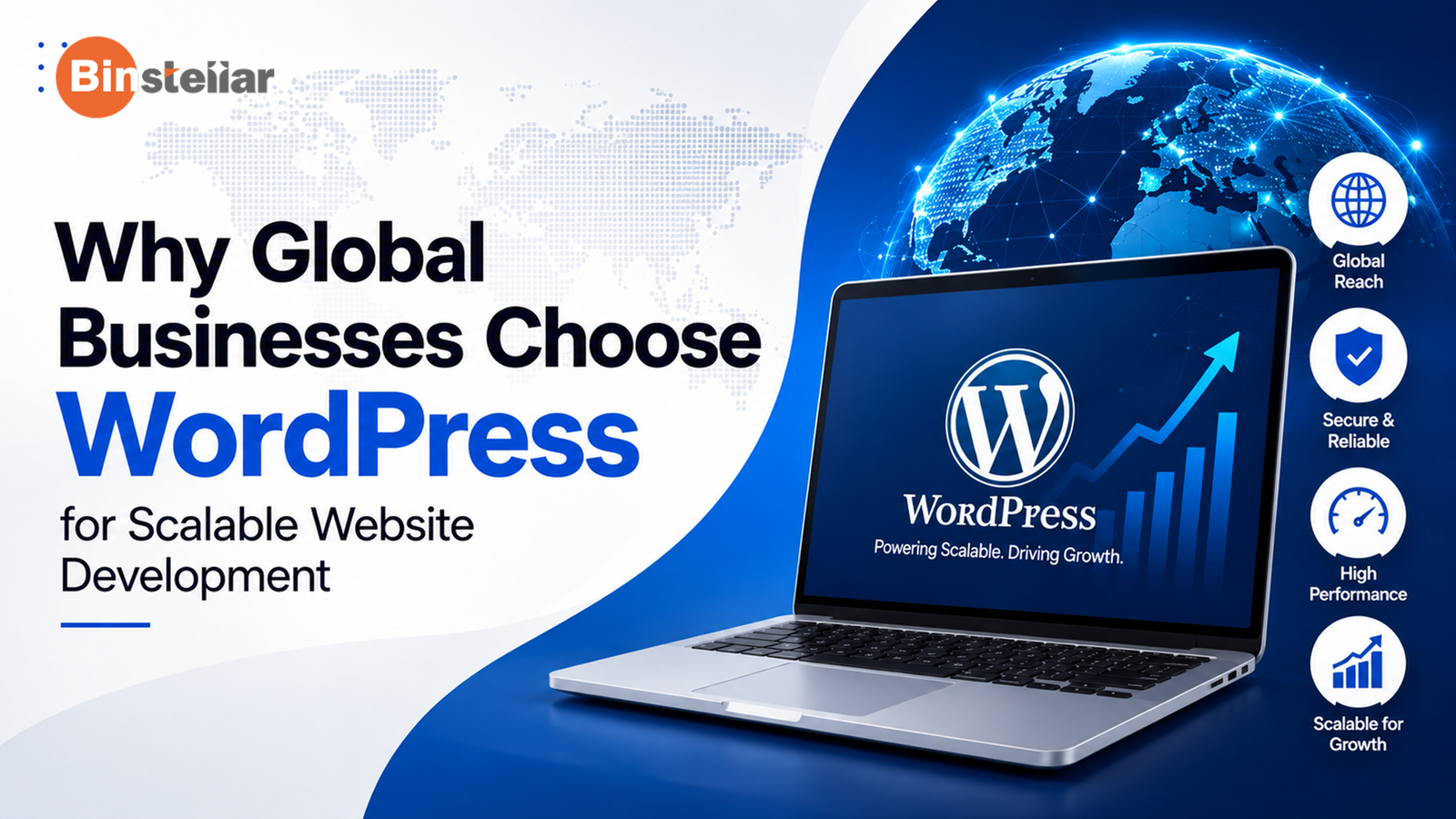
Today, WordPress powers 40% of all websites. This makes it a popular content management platform on the web. But what makes it such a common choice for businesses? Why choose WordPress when so many other CMS platforms are available? The answer goes beyond its popularity. Its flexible structure, extensive ecosystem and content management capabilities allow businesses to build websites around their specific requirements.
Let’s look at what makes WordPress useful. This guide looks at its flexibility, content management, SEO features, integrations, scalability, and website control. Each factor matters. Together, they show where WordPress can fit into different business website requirements.
What Makes a CMS Suitable for Modern Websites?
A modern CMS should make everyday website work manageable without making future changes difficult. Content teams need to publish and update information efficiently. Start small, then grow. A business might begin with a simple website and later add new sections, features, or integrations. Future needs matter. The platform should make those changes possible without requiring the entire website to be rebuilt.
Scalability also matters. As content, users and business requirements increase, the CMS should accommodate them. SEO and publishing tools should support structured content and editable URLs, while integrations should connect business systems.
Why Does WordPress Stand Out as a CMS?
WordPress gives businesses more freedom to customise their websites, manage content and add functionality as their needs grow. Let’s look at the key features that make WordPress a flexible and practical CMS:
Open-Source and Flexible
One reason businesses ask why WordPress is the best CMS is its open-source foundation. Self-hosted WordPress can be modified, extended and adapted to specific requirements without proprietary lock-in. This gives businesses freedom over how their site is developed and maintained.
That freedom can help when a website needs custom functionality or a different technical approach. It also gives organisations greater control over their WordPress CMS website.
Large Themes and Plugin Ecosystem
WordPress themes primarily control the site’s presentation and layout, while plugins can extend its functionality with features such as forms, e-commerce, analytics integrations and other tools. They influence the visual structure, while plugins can add forms, commerce functions, analytics connections and other capabilities.
Businesses can select components that fit their requirements and extend the platform when core functionality is not enough. WordPress.org describes plugins as a way to extend what WordPress can do.
Easy for Content Teams to Manage
For content-heavy websites, the WordPress content management system keeps publishing work accessible. Teams can create and edit pages, upload media, prepare drafts and schedule posts from the administrative interface. WordPress provides several predefined user roles, including Administrator, Editor, Author, Contributor and Subscriber, with different capabilities for managing content and site settings.
Key Benefits of Using WordPress for a Business Website
From SEO to scalability and seamless integration, the WordPress platform offers so many benefits. Take a look at them:
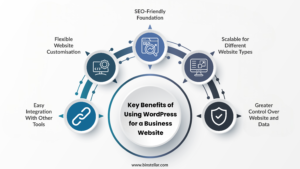
Flexible Website Customisation
The benefits of WordPress include the ability to shape a site around business needs rather than forcing the business into a fixed template. Developers can customise themes, add functionality and create tailored content structures. That makes custom WordPress development services useful for businesses with different workflows. It can evolve as services, audiences and content requirements change.
SEO-Friendly Foundation
Is WordPress automatically optimised for search? Not exactly. However, it provides a useful foundation through editable URLs, content organisation and extensions that can support SEO implementation.
Good rankings still depend on content quality, technical implementation, relevance, performance and ongoing optimisation. This is an important part of understanding the WordPress CMS benefits without overstating them.
Scalable for Different Website Types
Another reason businesses ask why to choose WordPress is its range of applications. WordPress can support business websites, blogs, portals, e-commerce implementations and certain custom web applications, depending on the project’s technical requirements.
Architecture, hosting, custom development and maintenance still need to match the site’s size and requirements.
Easy Integration With Other Tools
A website may need to exchange information with analytics platforms, CRM systems, marketing tools, payment services or external APIs.
WordPress supports this through plugins, APIs and custom development. This approach also makes CMS in WordPress implementations more adaptable. Its REST API allows external applications to interact with WordPress data using JSON-based requests, making integrations and separate application experiences possible.
Greater Control Over Website and Data
Self-hosted WordPress gives businesses control over their website, content and hosting environment. However, WordPress security depends on how the site, themes, plugins, hosting environment and user access are managed. Keeping WordPress and its components updated, applying appropriate permissions and following secure development practices are important parts of maintaining a secure website.
How WordPress Supports Website Growth and Management
WordPress supports publishing and scheduling, helping teams prepare content in advance. Multiple user roles allow different people to work with appropriate permissions.
The platform can also handle custom post types and taxonomies when standard pages and posts do not represent a business’s content model. Media management keeps images and other files within the publishing workflow.
Plugin-based functionality provides another route for adding features without changing the entire platform. The REST API can connect WordPress with separate applications and services. These capabilities make WordPress CMS development adaptable when a website becomes part of a larger digital system.
WordPress can support multilingual websites through suitable plugins, custom development or a multilingual implementation designed around the site’s requirements. It can help businesses reach different markets. Regional audiences can be managed more effectively through WordPress website content management.
Read Also: Custom vs Template WordPress Websites: Which One Should You Choose?
Is WordPress the Right CMS for Your Website?
WordPress can be a suitable CMS for different types of web pages. But it depends on your unique requirements. Take a look at these key factors that can help determine whether it is the right choice for your website.
WordPress Is a Strong Fit When You Need
WordPress can be a practical choice. It works well for businesses that need flexible content management, regular publishing, and greater control over their website structure. It also offers flexibility. Projects that need custom functionality, SEO controls, third-party integrations, or ongoing changes can make use of its capabilities. Think about future needs too. If your website is expected to grow, a WordPress website development company can help tailor the platform.
When You May Need Another CMS
WordPress is not automatically the right answer for every project. Some businesses may need more support. If you want limited responsibility for hosting, updates, and technical maintenance, another model may suit your project better.
Consider the full requirements. Content workflows, integrations, ownership, maintenance, and technical needs should all be reviewed before making the decision.
Conclusion
WordPress gives businesses plenty of flexibility. You can manage content, personalise the website, and connect different tools. Its features may not align with the needs of every project. Some websites may have specific technical or functional requirements that call for a different platform. Consider where your website needs to be in the years ahead. Analyze you current content needs, level of control, and their future expansion before deciding the platform.
Ready to build a fully customized WordPress website? Then, partner with a leading WordPress development company in India like Binstellar. We help businesses create tailored WordPress websites with the right features, integrations, and content structure. Contact us today! Let’s turn your website needs into a practical WordPress solution.
FAQs
What is WordPress, and how does it work as a content management system?
WordPress makes content management easier. It lets you create and handle website content from one administrative interface. Thus, no constant coding is needed. You can update pages and publish fresh content without manually coding each change.
Can WordPress meet the needs of a modern business website?
Yes. It is a highly flexible platform. With it, businesses can get access to seamless integrations, SEO controls, and scalability. But every website is different. Its suitability depends on your project goals and content needs. Think about your website’s future needs and potential growth as well.
Is WordPress Suitable for SEO-Focused Websites?
Yes. It lets you manage URLs and organise your content. You can also use different tools to handle key optimisation tasks. But WordPress alone is not enough. From your website’s content to speed, everything determines your search performance.
Is WordPress free to use, or are there additional costs?
WordPress itself is free to use. But when you need hosting, premium themes, or plugins, the costs add up. More than that, security also comes under additional expenses. Ongoing maintenance should also be part of your planning.
Can WordPress Handle Large and High-Traffic Websites?
It can be, provided the website is built and managed properly. Larger websites need the right technical setup to handle more visitors, content, and ongoing activity. Good hosting helps. But architecture, caching, database configuration, security, and overall implementation also need to be considered as traffic and website demands increase.
Written by
Kishan P